What is a proxy server?
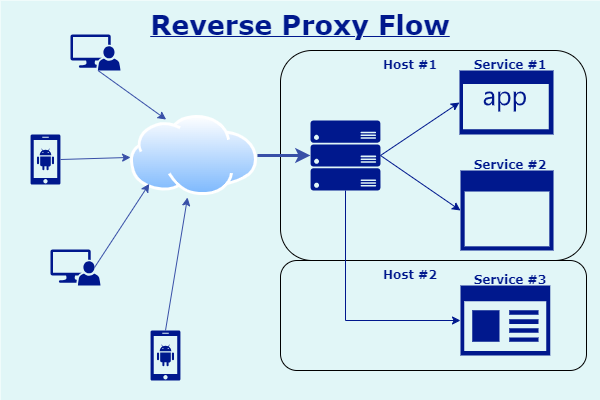
Proxy servers are applications that take local area network client requests towards the upstream world, and execute those requests in name of the client.
Using a proxy server is usually done as an added protection layer for a company network. A proxy server hides how many clients are on a network from the prying eyes of hackers and bots. Furthermore, it gives IT departments the ability to monitor all traffic, whitelist and blacklist domains and contents on a company network.
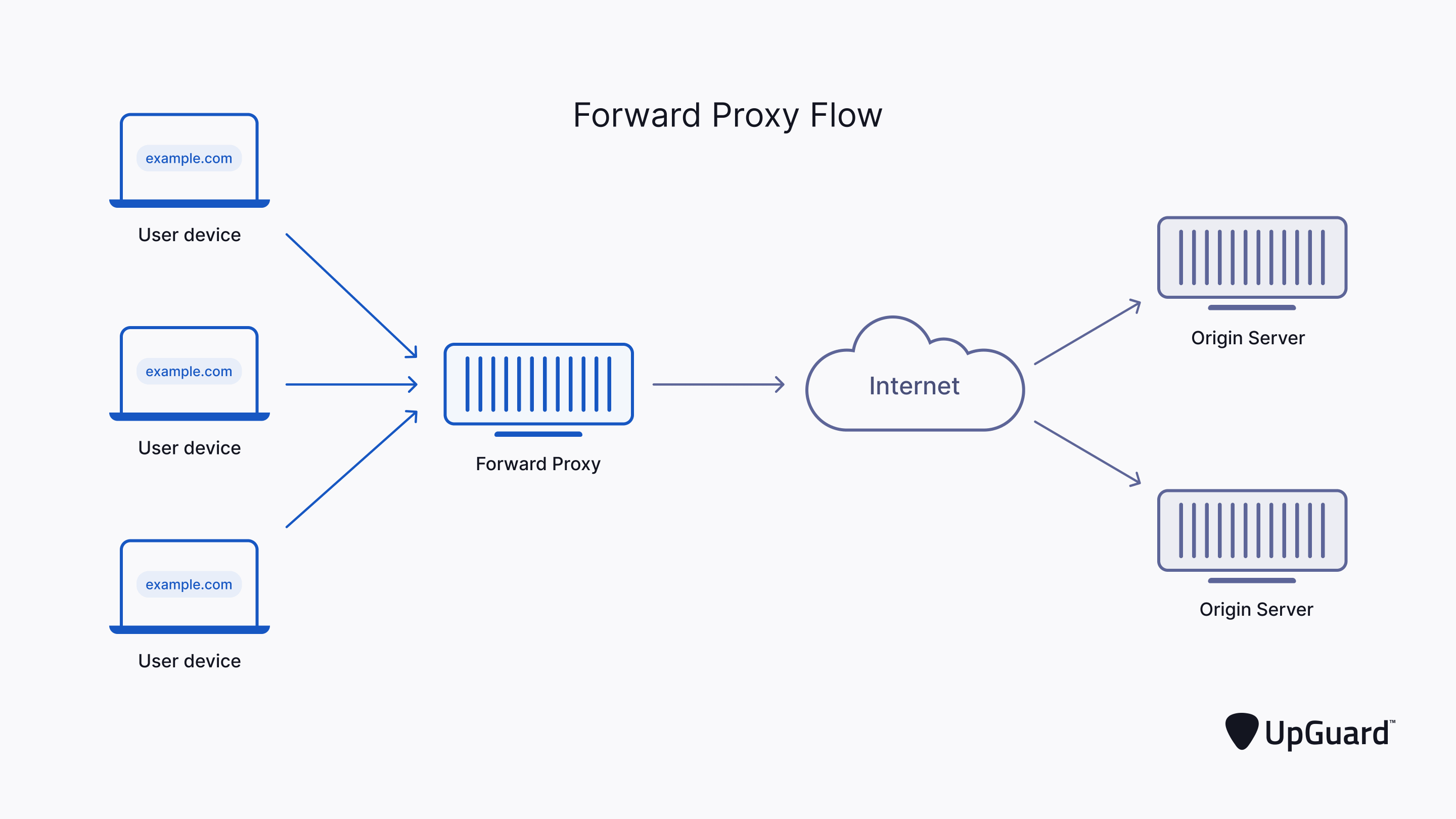
Click the images for a better insight for proxy servers.
What is a reverse proxy server?
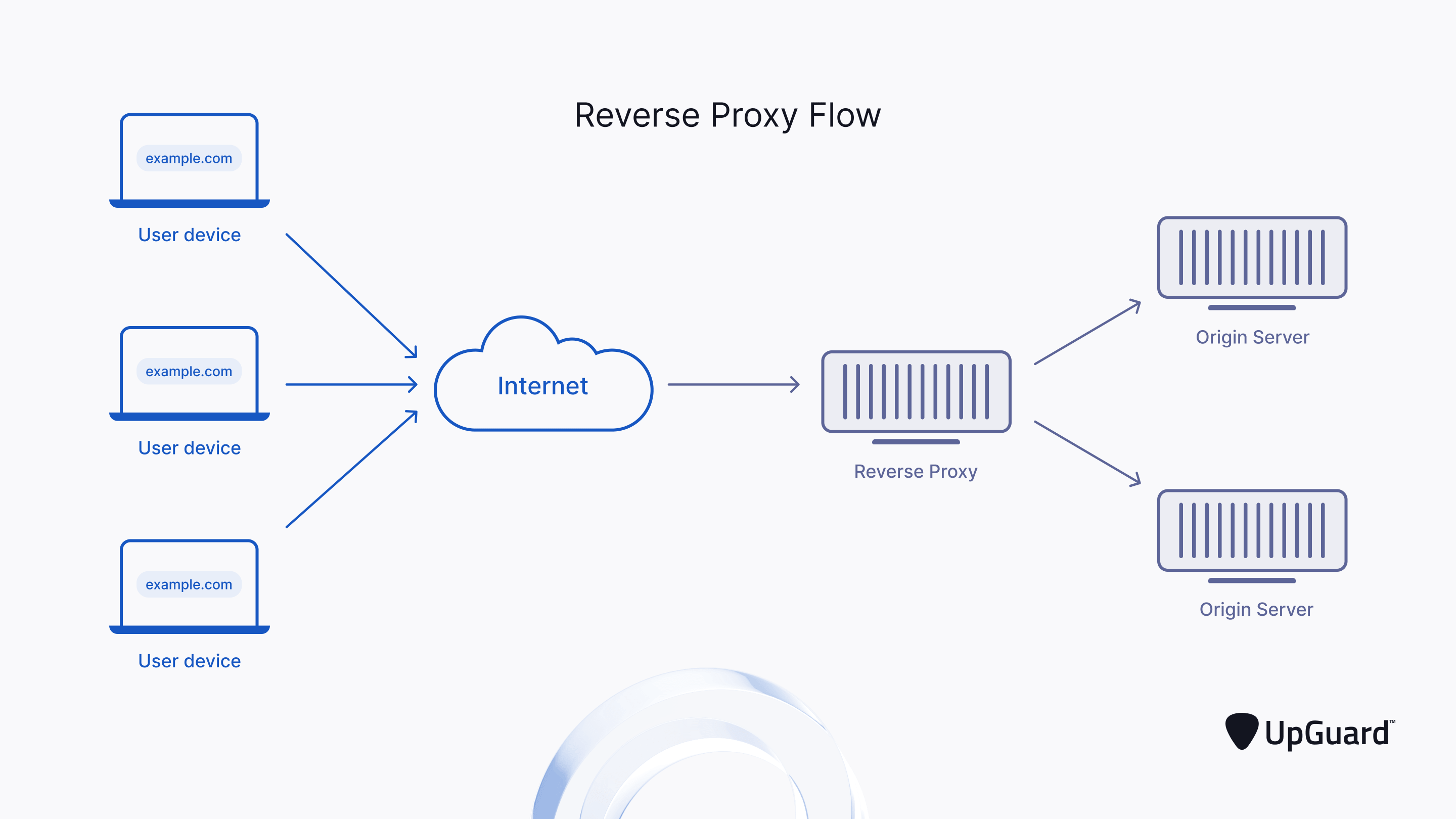
Reverse proxies behave the exact opposite. They provide a central access point to all services on an area network for the external world.
Why to use a reverse proxy?
In the case of the self-hosting hobby, a reverse proxy is used to limit the number of ports that needs to be forwarded on a router modem.
The following example was run in a VM environment, and is not an active production server.
In the case of a demo build server I have created I used:
- GitLab
- Self-hosted GitHub equivalent with automated pipelines
- Web GUI on port: 84
- Pihole
- Normally used as an ad blocker, but it is used as a local graphical DNS Registry
- Web GUI on port: 82
- Custom docker registry
- GitLab requires some custom docker images for the testing tools. A registry is used to organise and version control these images and works in an offline environment.
- API on port: 5000
- Nginx Proxy Manager
- Web GUI for graphical reverse proxy management.
- Web GUI on port: 81
- This is the service that listens on port 80 and 443 as well.
Individually all of the services would prefer to use the default 80, 443 (HTTP, HTTPS respectively) ports. However it is not possible to forward a single external port to multiple IP addresses.
This is where a reverse proxy system comes into the picture. In this case, the graphical version of Nginx was installed (Nginx Proxy Manager) and it is listening on port 80 and 443.
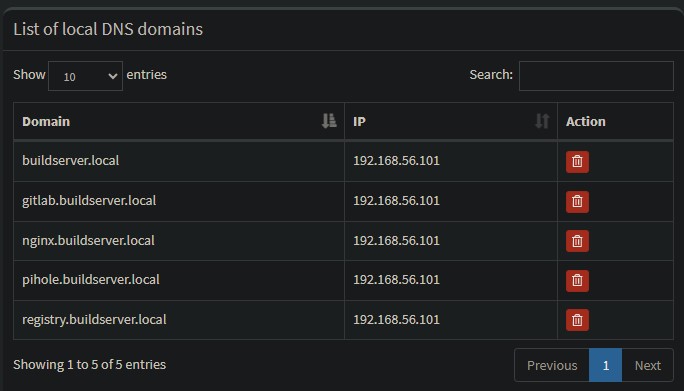
Through Pi-hole, which is normally an adblocker system that can also act as a DNS server, it is possible to assign domains and subdomains to an IP address. Nginx will be able to access this domain name to know which service the client wishes to access.
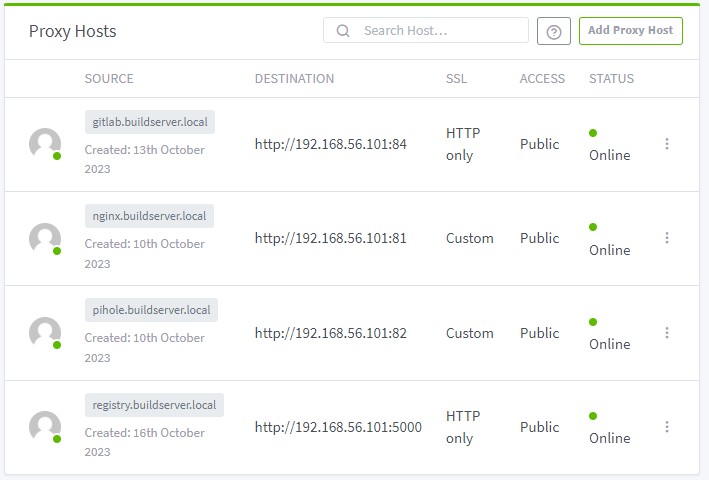
In the Web GUI of Nginx Proxy Manager, the domain names defined in the DNS server (Pi-hole) are paired with the actual IP address and ports where the services are running.
Since all services in this example are running as docker containers on the host machine, the IP addresses are all the same.
Disadvantages of proxy servers
The major drawback of any proxy implementation is that a proxy severely reduces transmission speeds on a network. Reason being, a proxy need to first listen to the request (often encrypted with SSL on HTTPS), execute the request in name of the client, re-package the response and send it back. These extra actions take time.
Due to this limitation, it is best to use reverse proxies for multiplexing HTTP and HTTPS requests where the data transmitted is small, or bandwidth is not a requirement.
Example: For a home server of mine, I needed to securely give access to a NAS file server folder to allow data synchronisation without the need for a VPN. I managed to implement WebDAV protocol behind SSL encryption. The maximum download and upload speed (dependent on latency aka. geographical location) was 700KBps. Backing up 100s of gigabytes of data through 700KBps is horrible, but on the bright side it was possible to access media files an stream directly without buffering.
Conclusion
This was a basic example of what a use case for a reverse proxy can be. Reverse proxies also allow for the same benefit that normal forward proxies provide, by having a central location to monitor all traffic on, whitelist and blacklist users, create authenticated pages for restricted access. Reverse proxies do not only serve HTTP, HTTPS protocol but can handle streaming data as well.
What else have you have used reverse proxies for?
Leave a Reply
You must be logged in to post a comment.